
EnvShield is a Visual Studio Code extension that masks environment variable values in the editor while leaving keys readable and the file fully editable. Built for developers who stream, record, or share their screen.
At a glance
- Platform
- Visual Studio Code extension
- Language
- TypeScript
- Mechanism
- Decoration API, visual only
- Links
- Marketplace + GitHub (markpython86/envshield)
01 · Context
How do .env files leak on a stream?
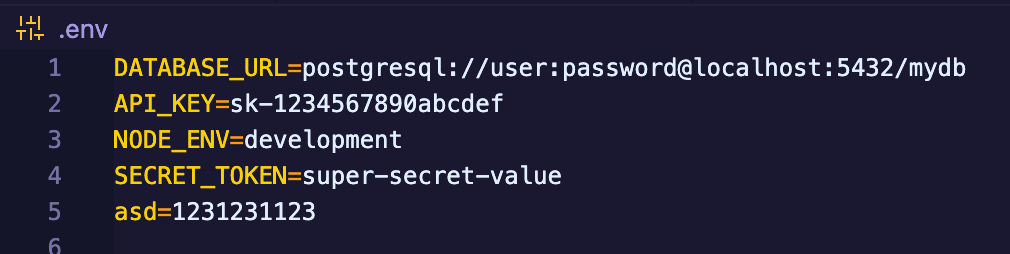
Live coding and video calls make .env files a liability. One scroll past a secret is enough. Existing habits: closing files, blanking monitors: fail under pressure. The fix needed to be visual, instant, and non-destructive.
02 · Decision
Why decorate instead of rewriting the file?
EnvShield uses VS Code’s text decoration API to overlay masks without changing file contents. Copy, paste, search, and edit keep working on the real text. A status-bar toggle and whitelist (e.g. NODE_ENV) keep the tool out of the way when secrets are not on screen.

{
  "envShield.enabled": true,
  "envShield.maskOnStartup": true,
  "envShield.maskChar": "•",
  "envShield.whitelistKeys": ["NODE_ENV", "PORT"],
  "envShield.extraFileGlobs": [".env.*", "*.env"]
}
03 · Tradeoff
How do masks stay fast while typing?
Masks must update as the user types. Debounced parsing and targeted decoration updates keep the editor responsive while covering .env, .env.local, .env.production, and configurable globs.
04 · Outcome
What did EnvShield ship?
Published to the VS Code Marketplace with toggle control, whitelist support, smart file detection, real-time mask updates, and a clear status-bar indicator, so developers can share their screen without sharing their secrets.